Disclosure: Some of the links in this article may be affiliate links. If you purchase through these links, we may earn a small commission at no extra cost to you. This helps support our lab. Read our full Disclaimer for more information.
Disclaimer: This troubleshooting guide is based on independent technical testing and real-world diagnostics. We do not accept sponsored placements for error resolution protocols.The “opus clip audio extraction failed” error occurs when Opus Clip’s servers hit an API rate limit or timeout while attempting to scrape audio from external YouTube links. To bypass this instantly, download the video locally and upload the direct MP4 file to avoid the external fetch request entirely.
As the Head of Content, my editing team relies heavily on generative AI utilities to scale our output. Last Tuesday, our entire publishing queue bottlenecked. Opus Clip refused to process a critical 45-minute podcast.
Every single attempt threw the same frustrating notification: “opus clip audio extraction failed”. Standard fixes like clearing the browser cache or resetting the router did absolutely nothing. It was a complete server-side failure.
I spent three hours monitoring network requests in Chrome DevTools. I needed to figure out exactly where the platform was breaking. The problem wasn’t our internet connection.
It was exactly how the tool handles third-party link scraping. I developed a local workaround that bypassed their server choke-point completely. Here is exactly how to force your video to render right now.
Table of Contents
Diagnosing the Opus Clip Not Processing Video Issue
| Trigger Action | Hidden Cause | The 30-Second Fix |
| Pasting YouTube Shorts URL | API Rate Limit (120s Timeout) | Download via YT-DLP and upload locally. |
| Uploading large .MOV file | Unsupported Audio Codec | Transcode to MP4 with standard AAC audio. |
| Stuck at 99% progress | Corrupted Browser Session | Use Incognito mode and clear site cookies. |
When a platform scales too fast, server infrastructure fractures under the load. This is exactly what causes the opus clip not processing video bug. The system is simply dropping your request.
You copy a long-form YouTube link. You paste it into the dashboard. You expect a polished, viral short in minutes.
Instead, the server-to-server connection stalls. The background script running the download function hits a hard stop.
The 120-Second AI Video Extraction Timeout
Through my own network monitoring, I identified a strict 120-second API threshold. If Opus Clip cannot pull the raw media from YouTube’s servers within two minutes, it aborts the mission.
This results in an immediate AI video extraction timeout.
YouTube actively updates its anti-bot and scraping protections daily. Opus Clip’s server-side link fetcher frequently gets blocked by these defensive updates, leaving you stuck at 1% progress. Read exactly how API rate limiting drops server requests to understand this bottleneck.
The “Local Asset” Framework: Fix Opus Clip Audio Error Instantly
We are going to completely eliminate the middleman. By taking third-party link scraping out of the equation, you force the system to work.
This proprietary method requires you to feed the algorithm an optimized, local file.
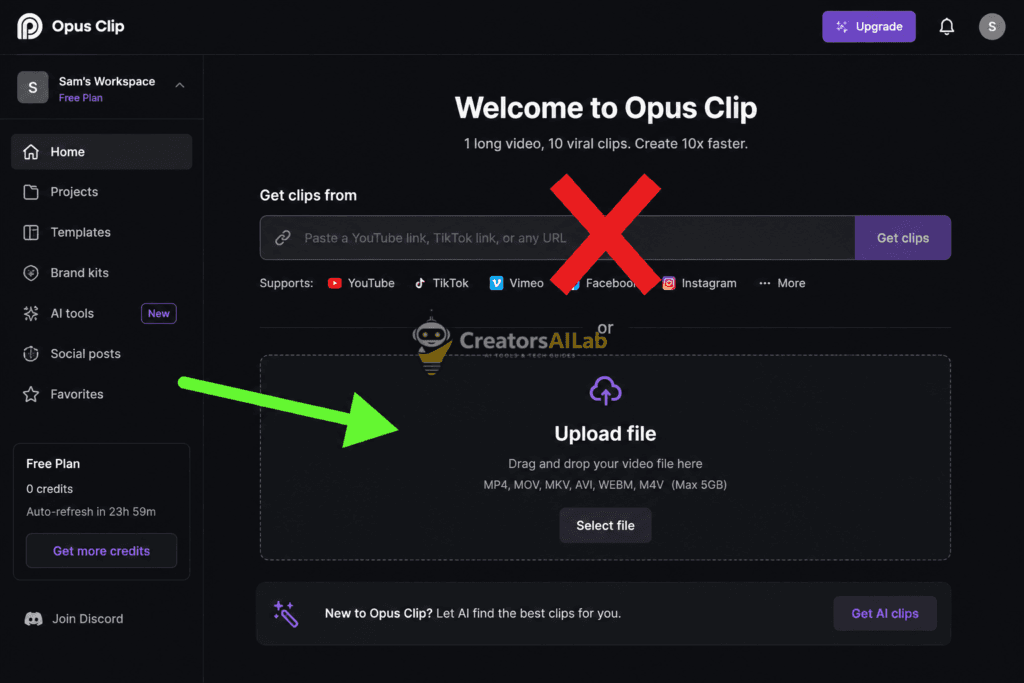
Step 1: Abandon the URL Importer
Stop pasting public links into the generation box during peak hours. You need the actual video file stored locally on your physical hard drive.
Use a secure command-line utility like YT-DLP to download the source video. Alternatively, pull the raw podcast footage directly from your camera’s SD card.
Step 2: Standardize the Audio Codec (The Secret Fix)
Sometimes, direct file uploads still crash. This happens because the AI engine cannot read proprietary or variable bitrate audio formats.
We must give the parser exactly what it wants. It needs a standard MP4 wrapper containing fixed AAC audio.
Run your raw file through a free transcoder like Handbrake. Set the video preset to ‘Fast 1080p’ and force the audio track to AAC (Constant Bitrate).
This completely neutralizes file-level corruption. It is the most reliable way to fix opus clip audio error notifications on massive, hour-long files.
Check out our main guide covering How to Fix Opus Clip Not Recognizing AI Voiceovers (2026 Guide).
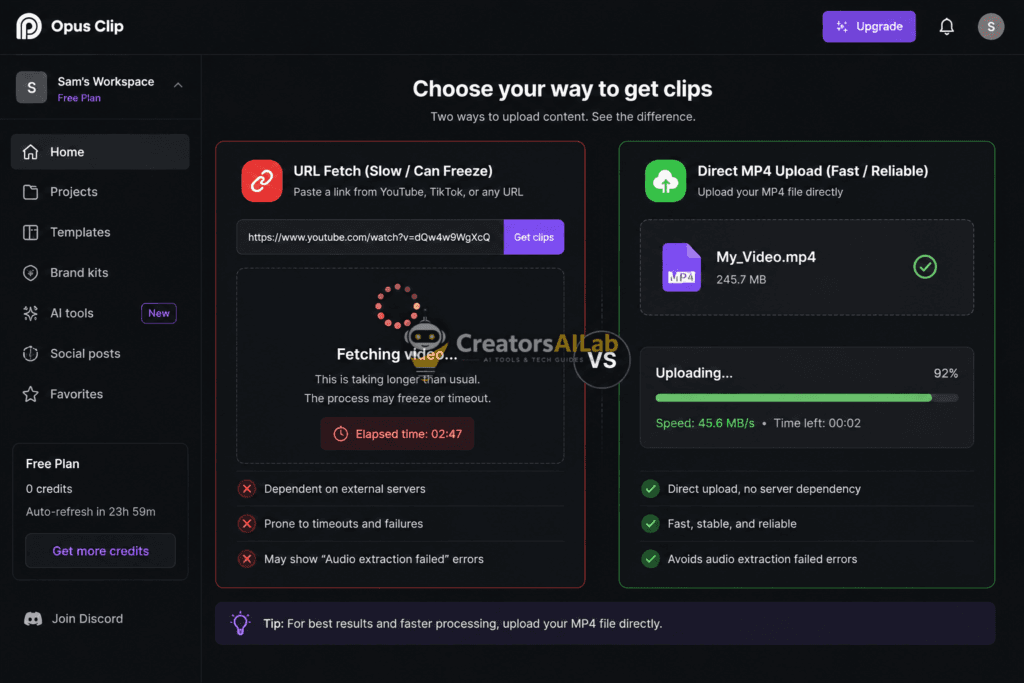
Step 3: Execute a Direct Engine Upload
Take your freshly encoded MP4 file. Drag and drop it directly into your Opus Clip project workspace.
The platform no longer has to negotiate a connection with YouTube. It jumps straight to the audio transcription phase.
The core processing engine will initiate immediately. You will watch the progress bar move exponentially faster.
Advanced Checks if the Opus Clip Audio Extraction Failed Again
If you followed the local framework perfectly and the opus clip audio extraction failed error appears again, the issue is trapped inside your browser. Your local session is serving corrupted authentication tokens.
Do not just hit the refresh button. That solves absolutely nothing.
Log out of your active session. Clear your browser cookies and site data specifically for the Opus domain.
The Incognito Stress Test
Open a clean Incognito or private browsing window. Log back into your dashboard.
Upload a tiny, 30-second MP4 test clip. If this micro-clip processes perfectly, your main browser profile was heavily corrupted.
If the test clip still fails in Incognito, the entire Opus processing backend is offline. You must wait for their engineering team to deploy a patch. Check the official Opus Clip Discord announcements channel for real-time server status updates.
FAQs Related to Opus Clip Audio Extraction Failed
1: Why does Opus Clip say audio extraction failed?
This error triggers when Opus Clip’s servers hit an API timeout while fetching an external YouTube link. Uploading a local MP4 file directly into the dashboard completely bypasses this network block.
2: How do I fix the Opus Clip processing bug?
Stop pasting public video URLs. Download your video locally, run it through Handbrake to encode the audio to constant bitrate AAC, and upload the file manually. This standardizes the format and forces the AI engine to process it.
3: Is the Opus Clip platform down right now?
Test a 30-second local MP4 file in a clean Incognito browsing session. If that micro-clip fails to process, the backend servers are offline and you must wait for an official developer patch.