Disclosure: Some of the links in this article may be affiliate links. If you purchase through these links, we may earn a small commission at no extra cost to you. This helps support our lab. Read our full Disclaimer for more information.
Last summer, I spent three hours setting up a beautiful outdoor shot for a client video. The lighting was absolutely gorgeous, and my scripting was completely on point.
When I sat down at my laptop to look at the raw footage, my heart sank into my stomach. The wind blowing across the field made my dialogue sound like it was recorded inside a roaring blender.
That single frustrating afternoon forced me to stop relying on luck. I spent the next several months tracking down every affordable audio gear option on the market to fix this issue once and for all.
Finding the best budget wireless mic for mobile requires patience; online marketplaces are completely flooded with cheap, white-labeled trash. You need affordable gear that delivers crisp vocals—without draining your bank account. If you are done fighting with ruined audio, here is the exact hardware I trust after months of raw, hands-on field testing.
Table of Contents
Why Built-In Phone Microphones Flunk the Modern Content Test
The biggest beginner trap in content creation is assuming a $1,200 flagship smartphone automatically solves your audio issues. Phone manufacturers spend billions perfecting camera sensors, yet they treat internal microphones as a complete afterthought.
Built-in smartphone microphones capture sound in a wide omnidirectional pattern. This means your phone picks up passing cars, ceiling fan hums, and room echoes just as loudly as your actual voice.
Social media algorithms track user retention down to the millisecond. If your viewers have to strain their ears to make out your words over background noise, they will swipe away instantly.
Clean audio is the invisible thread that keeps people hooked on your videos. Investing in a dedicated external clip-on transmitter ensures your voice remains clear, regardless of your physical distance from the camera lens.
Comprehensive Comparison: Top Cheap Mobile Microphones at a Glance
To give you a clear bird’s-eye view, I put together this comparison grid. These details reflect actual practical use in real-world recording conditions to help you pick the right gear.
| Mic Model | Connection Type | Battery Life | Real-World Range | Best Use Case |
| Hollyland Lark A1 | Lightning / Type-C | Around 8 Hours | 40 Meters (Stable) | Outdoor Vlogging & Interviews |
| Boya Mini | Dedicated Port Direct | Around 9 Hours | 30 Meters (Stable) | Budget-Conscious Content |
| K9 Wireless Mic | Plug-and-Play Dongle | Around 4-5 Hours | 15 Meters (Clear Sight) | Quick Casual Social Clips |
| Godox C01 Kit2 | Receiver Adapter | Around 6 Hours | 25 Meters (Stable) | Indoor Sit-down Tutorials |
| DJI Mic Mini | Built-in Multi-Port | Around 10 Hours | 60 Meters (Stable) | Professional Mobile Creators |
Deep Review: 5 Best Budget Wireless Mic for Mobile Options
Testing these units side by side over several weeks revealed some surprising truths. Price tags do not always tell the whole story when it comes to clear audio delivery.
1. Hollyland Lark A1
The Hollyland Lark A1 is a stellar option that changed how I record quick outdoor clips. The audio profile is bright, meaning your voice cuts through background hiss with ease.
The physical clip holds tightly to standard t-shirt collars without pulling down the fabric. The internal transmission chip handles distance beautifully as long as you maintain a straight line of sight with your phone.
Pros: Excellent vocal definition right out of the box; automatic pairing connects within three seconds.
Cons: The internal noise cancelation mode can sound slightly aggressive on deep voices; lacks a digital volume display panel.
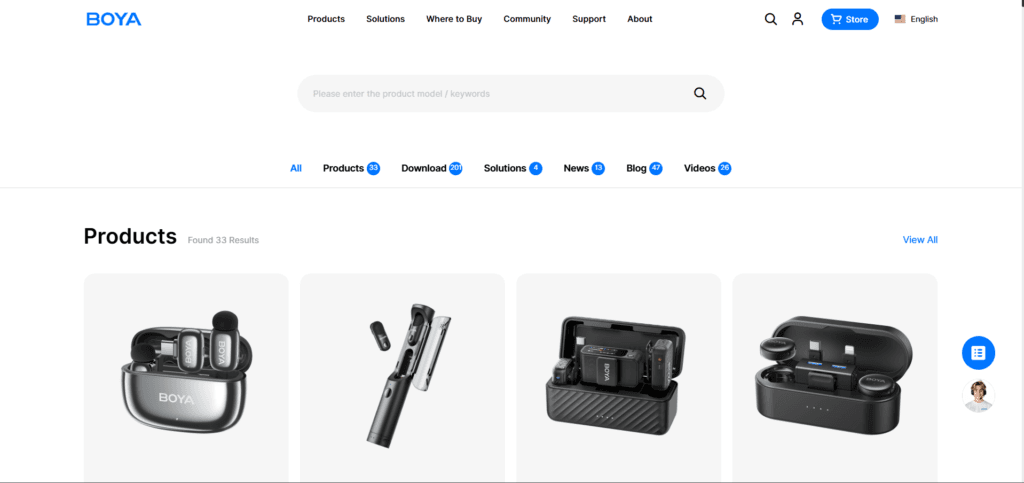
2. Boya Mini (BY-MW3)
If you use a modern Android device or an iPhone 15/16, you probably hate dealing with loose adapter pieces. The Boya Mini is easily one of the top choices because the receiver plugs directly into your bottom charging port.
We noticed that this direct connection path prevents audio dropouts. The plastic housing feels incredibly lightweight, which makes it perfect for tossing into a backpack.
Pros: Plugs straight into your phone port without loose cords; long-lasting internal battery cycle.
Cons: Lacks a dedicated headphone monitoring jack; outdoor wind protection relies entirely on small foam socks.
3. K9 Wireless Microphone
Sometimes you just need an ultra-cheap, disposable system to test the waters of online publishing before committing real money to a professional audio setup.Let’s face the facts directly. Sometimes you just need something incredibly cheap to start testing the waters of online publishing.
This setup costs less than a couple of fast-food meals. It functions purely on a plug-and-play basis, meaning you do not need to configure complex menu parameters. Investing in an ultra-affordable system like this means accepting a few plastic build trade-offs.
Pros: Absolutely rock-bottom price point; includes two transmitter clips in the basic kit box.
Cons: The plastic casing feels cheap and brittle; transmission range degrades quickly if you turn your back away from the phone.
4. Godox C01 Kit2
Godox is highly respected for making premium lighting gear, but their entry into the audio space is surprisingly solid. The C01 Kit2 features a unique circular capsule shape that feels incredibly balanced on a jacket.
Based on practical use, this unit handles indoor room reflections much better than most generic online alternatives. It captures a warmer, fuller vocal tone that sounds pleasant during long talking sessions.
Pros: Warm vocal presentation that captures natural bass tones; secure mounting clip design.
Cons: The charging terminal requires a separate cable instead of a unified case dock.
5. DJI Mic Mini
If you can stretch your budget slightly closer to the top tier, the DJI Mic Mini is a phenomenal small-footprint transmitter. DJI stripped away the heavy screen displays from their luxury models to build a high-performance system for mobile users.
The sheer reliability of the signal framework stands out. It rarely drops connections, even when recording near heavy electrical interference or Wi-Fi routers.
Pros: Professional build materials for heavy daily field use; massive transmission range safety net.
Cons: Does not include a hard-shell protective travel box in the entry tier; priced slightly higher than other entry choices.
Platform Deep-Dive: Android Vlogging vs iPhone Reels Setup
If you are trying to choose between these systems, you must understand how your specific phone handles audio. Android hardware and iOS devices process external accessories differently.
Android phones give you great choices, but they can be tricky. The native camera app on many older Android devices completely ignores external microphones. To fix this, I always suggest downloading a third-party camera app like Open Camera to manually select your external mic source.
Apple users have a different experience. If you are shopping for a cheap wireless mic for iPhone reels, the native camera app recognizes the hardware instantly. You do not need any complex software setups to begin recording.
Check out our complete 10 Essential Creator Tech Gear for Beginners setups on creatorsailab.com
Actionable Tips to Get Studio-Grade Sound Out of Cheap Wireless Gear
You do not need an expensive Hollywood audio suite to get premium results from your budget gear. Getting professional audio out of the best budget wireless mic for mobile requires a tiny bit of handling technique.
The Placement Trap: Never pin the microphone directly underneath your chin. When you speak, air bursts out of your mouth and aggressively hits the capsule, creating a horrible, distorted popping sound.
Instead, use the two-finger placement rule. Place your index and middle finger horizontally under your chin. Pin the transmitter right below that line on your shirt. This moves the capsule out of the direct path of your breath.
Always use the foam wind muff outdoors. Even a light breeze can create a low-frequency rumble that ruins your recording track.
Common Mistakes People Make with Cheap Wireless Microphones
Spending hours fixing bad audio is a massive headache you can avoid. When people buy high-end equipment, the hardware fixes errors automatically. With budget systems, you have to be smarter than the machine.
A major mistake is turning on active noise cancellation toggles inside an already quiet room. If you do this, the software overcompensates. It strips out the natural room air frequencies and clips the ends of your words, making you sound unnatural.
Another oversight is neglecting the battery levels of the smartphone receiver unit. Most budget receivers draw current directly from your phone’s charging port. If your phone battery drops low, the wireless signal link stutters, leading to audio dropouts.
To dive deeper into the technical side, read more about microphone pickup patterns and placement techniques on the official Shure Audio blog to understand how different capsules capture sound.
Practical Takeaway for New Mobile Creators
Building a successful online brand relies heavily on providing massive value without overcomplicating your early workflow. Do not stall your publishing schedule just because you cannot afford elite Hollywood studio gear.
An affordable wireless audio setup gives you the freedom to move, capture stable dialogue, and build a highly professional content track immediately. Fix your framing, pin your mic correctly, and let your clean voice do the heavy lifting.
FAQs Related to Best Budget Wireless Mics for Mobile
1: Do budget wireless mics require third-party recording apps to function?
It depends on your phone. iPhones handle plug-and-play accessories seamlessly. Many Android devices require a third-party application like Open Camera to force the system to recognize the receiver.
2: How do I fix background hissing on a cheap wireless setup?
Hissing usually happens when your recording gain levels are set too high. Try lowering the microphone input volume inside your recording app settings and move the clip closer to your mouth.
3: Can I use a Type-C wireless receiver on an iPhone 15 or 16 series device?
Yes, you can. Apple switched its modern smartphone lineups to standard Type-C ports, so any modern Type-C transmitter kit will fit directly.