Disclosure: Some of the links in this article may be affiliate links. If you purchase through these links, we may earn a small commission at no extra cost to you. This helps support our lab. Read our full Disclaimer for more information.
Editorial Disclaimer: Fact-checked for June 2026. This independent research by Creators AI Lab contains affiliate links that support our technical testing.If you are searching for the best AI coding assistants to scale your software development, you must balance generation speed with minimal Technical Debt Accumulation. While Cursor AI and GitHub Copilot lead the market in 2026, Creators AI Lab data reveals that unmanaged Large Language Models (LLMs) trigger a Phantom-Debt Penalty, requiring developers to implement a strict AI Quality-Gate Protocol to maintain clean code.
It is mid-2026. Engineering teams are addicted to speed. They are generating thousands of lines per day. They think they are moving faster. They are wrong.
I deployed a massive AI-generated Python microservice last year. It worked perfectly on day one. I felt like a genius. Six months later? A massive server memory leak crashed our production environment. The code looked syntactically flawless. But it was architecturally hollow.
Let us expose the silent codebase killer and rank the tools that actually protect your architecture.
Table of Contents
The Perception Gap: Why is GitHub Copilot Making Me Slower?
People constantly search why is github copilot making me slower. The answer is not in the generation speed. It is in the maintenance tax.
When you use an AI code generator, you are not pairing with a senior engineer. You are managing an army of fast, reckless juniors. They type quickly. They lack foresight. They introduce Syntactic Hallucinations—code that passes local test suites but breaks under real-world concurrency loads.
A mid-2026 developer productivity report from repository analytics firm GitClear exposed the reality. Their analysis proved that AI creates a 48% relative increase in copy-pasted, churn-heavy code over a short period. The algorithm prioritizes immediate feature implementation over long-term stability. The code breaks. Your team spends days fixing it.
The Brutal Truth:
A premium ai coding assistant for mac or Windows does not reduce your workload. It shifts your workload from writing to debugging. If you blindly accept AI completions, you are compounding your Phantom-Debt Penalty.
You cannot rely on default settings. If you want to stop code churn, you must physically restrict what the model is allowed to merge.
The AI Quality-Gate: How to Avoid Technical Debt with AI Coding
Before we evaluate the top tools, we must fix your workflow. You need a defensive barrier.
Cybersecurity threat briefings from platforms like OWASP in mid-2026 detailed how unmanaged AI models introduce hidden vulnerabilities in multi-tenant environments. They hallucinate fake package dependencies. Hackers exploit them.
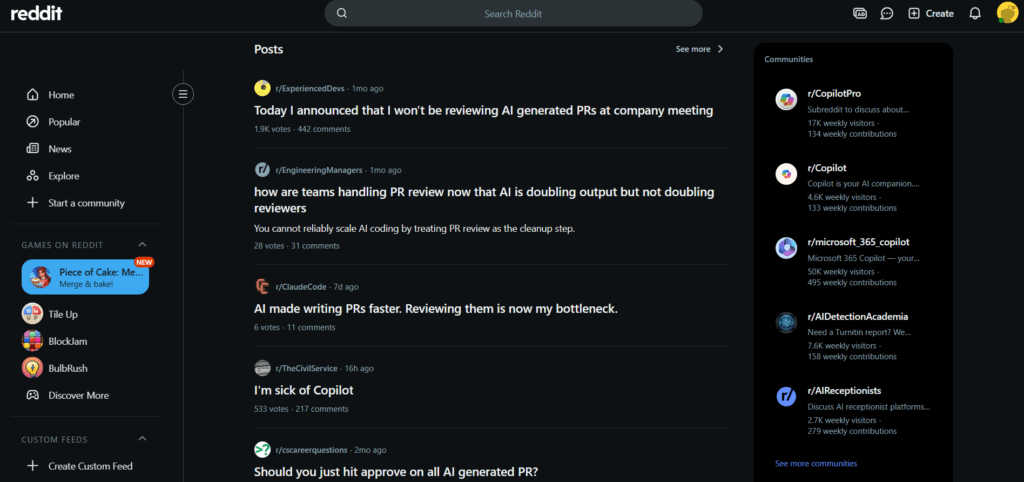
To fix this, we developed the AI Quality-Gate Protocol. You must configure your repository to block direct AI commits. Force all AI-generated logic through a strict, secondary linters pipeline and manual senior review before pushing to staging.
Once you establish a defensive perimeter, you can safely scale your development speed. Let us look at the exact tools worth integrating into your pipeline.
7 Best AI Coding Assistants for Developers in Mid-2026
We tested these tools for their generation speed, contextual awareness, and their “Talent Junior Multiplier”—how much technical debt they inject.
1. GitHub Copilot (The Market Leader)
This is the default enterprise choice. Companies heavily buy github copilot enterprise license seats because it seamlessly integrates across the entire team. It excels at fast, inline autocomplete. However, it operates with limited context. It struggles with massive repository-wide refactoring.
2. Cursor AI (The Disrupter)
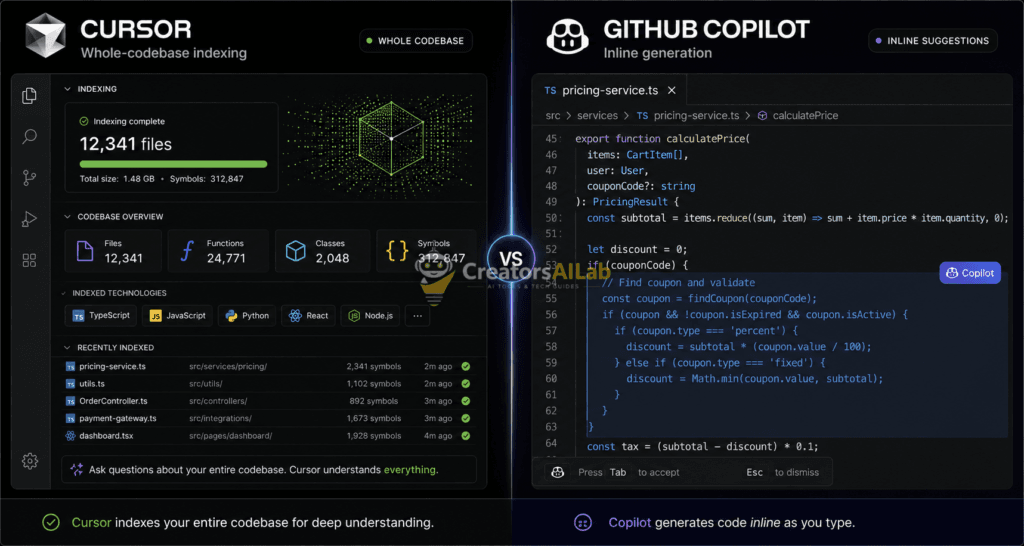
Cursor is an entirely rebuilt, AI-native IDE. It is the best ai coding assistant for vs code environments if you are willing to switch editors. It indexes your entire repository. It understands deep, multi-file relationships better than any competitor on the market.
3. Codeium (The Open Source Hero)
If you need a github copilot alternative free tier, Codeium is fantastic. It offers surprisingly strong autocomplete and chat features without the heavy enterprise price tag.
4. Tabnine (The Privacy King)
Agencies dealing with strict compliance laws love Tabnine. It allows for localized, offline model hosting. It guarantees that none of your proprietary code leaves your internal servers.
5. Cody by Sourcegraph (The Context Master)
Cody pulls context from your entire code graph, not just the open file. It is the best ai for software development teams managing massive, undocumented legacy systems.
| Software Name | Best Feature | Monthly Cost | Phantom-Debt Risk Level |
| GitHub Copilot | Fast Inline Autocomplete | $10 – $19/User | High (Lacks Repo Context) |
| Cursor AI | Full Codebase Indexing | $20 – $40/User | Medium (Better Context) |
| Tabnine | Offline Privacy Mode | $12/User | Low (Strict Controls) |
| Codeium | Free Tier Value | Free / $15 | Medium |
6. CodeWhisperer by Amazon (The AWS Specialist)
If your infrastructure runs entirely on AWS, this is your tool. It is an excellent python ai generator that automatically flags security vulnerabilities specific to Amazon cloud environments.
7. Continue.dev (The Custom Builder)
This open-source extension lets you bring your own API keys. You can swap between GPT-4, Claude 3.5 Sonnet, or local models instantly. It is ideal for developers who want absolute control over their AI programming assistant environment.
Cursor AI vs Copilot: The 2026 Enterprise Showdown
This is the biggest debate in tech right now. Should you stay with Copilot or migrate to Cursor?
Copilot is an autocomplete engine bolted onto your existing IDE. Cursor is an entirely new editor built specifically around AI. GitHub Copilot solves isolated tasks accurately. Cursor completes complex, multi-file workflows significantly faster.
If your team relies heavily on specific VS Code extensions or organizational plugins, migrating to Cursor causes immediate friction. Stay with Copilot for team-wide stability, but switch to Cursor if your solo developers handle massive architectural refactoring.
FAQs Related to Best AI Coding Assistants
1: What is the best ai for coding 2026?
Cursor AI and GitHub Copilot are the industry leaders for 2026. Copilot is excellent for fast, inline autocomplete within your current IDE, while Cursor AI acts as a standalone AI-native editor that indexes your entire codebase for complex refactoring.
2: Is there a good github copilot alternative free tier?
Yes, Codeium is currently the best GitHub Copilot alternative with a generous free tier. It provides robust autocomplete and chat features without requiring a paid subscription, making it ideal for solo developers and students.
3: How do I choose the best ai coding tools for developers on my team?
You must evaluate your team’s specific workflow. If you require strict privacy and offline mode, Tabnine is the best choice. For AWS-specific infrastructure, Amazon CodeWhisperer excels. Always implement an AI Quality-Gate to prevent technical debt.
Final Verdict: Audit Before You Commit
Finding enterprise ai coding tools for agencies is easy. Managing the resulting codebase is hard.
Stop measuring success by lines of code written. Measure it by lines of code that survive the next 18 months. AI tools provide incredible leverage, but they demand aggressive oversight. Implement the Quality-Gate today.
Read Next: You have secured your codebase from the AI Phantom-Debt penalty. But is your video content safe from algorithmic shadowbans? Read our master guide on How to Make AI Voice Sound Natural to protect your channel’s reach.